Download TP-Link Deco free on android
APK file Deco 3.10.645How to install APK / APKS / OBB file on Android
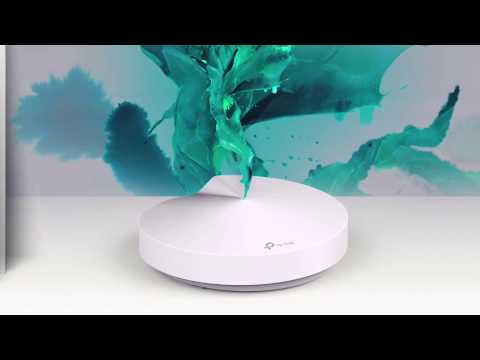

Welcome to the Deco App — the perfect way to set up your mesh WiFi in minutes and control your whole network.
Our simple-to-follow guide walks you through the setup process and even gives you suggestions for whole home coverage.
Once connected, you’ll have instant access to check every connected device, manage your kids’ online activity, and control your home network effortlessly. All from the palm of your hand.
- EASY TO SET UP AND MANAGE
• Quickly set up with step-by-step instructions
• Find the best spots to place additional Deco units for maximum coverage
• Control your WiFi network without turning on your computer
• Check your connection status and network speed at a glance
• Find out who or what is connecting to your network
• Instantly block unwanted devices with a tap
- PROTECT YOUR WIFI
• Detect potential threats and receive warnings before things get serious
• Create a guest network to give friends internet access while shielding your private network
• Block unauthorized access and inappropriate content
• Run network performance tests
- FIND FAMILY TIME WITH PARENTAL CONTROLS
• Set a time restriction and pause the WiFi on kids’ devices
• Control when specific devices have WiFi access
• Make room for more family time with Schedules
- PRIORITIZE YOUR FAVORITE DEVICES
QoS lets you choose which devices always have the fastest connections. Set a schedule to assign device priority for different times of the day.
- KNOW EVERYTHING ABOUT YOUR NETWORK
Detailed reports help you understand your home WiFi and everything connected.
- CREATE YOUR SMART HOME
Connect, control, and check the status of your smart cameras, plugs, and lights – all from the Deco app.
Features available in Deco may vary by model and software version. Stay tuned for updates as we add new features and products to the Deco family!
Privacy Policy: https://privacy.tp-link.com/app/Deco/privacy
Term of Use: https://privacy.tp-link.com/app/Deco/tou
HomeShield Subscription Service Agreement: https://privacy.tp-link.com/others/homeshield/sa
HomeShield Privacy Policy: https://privacy.tp-link.com/others/homeshield/policy
For more information about Deco, visit www.tp-link.com
- LicenseFree
- File nameDeco
- File Version3.10.645
- Package namecom.tplink.tpm5
- Size161.85 MB
- UploadedSeptember 28, 2026
- Android7.0 or later

- CategoryTools
- DeveloperTP-LINK SYSTEMS INC.
- Developer sitehttps://www.tp-link.com
- Developer emailfeedback.app@tp-link.com
- md5 hasha00414c3b9bd6a88f28d2ed356399ac7
- Architecture-
- Permissionsshow (28)
